What is ERP and what is it for?
ERP stands for enterprise resource planning. In practice, accounting, stock, sales, purchasing, manufacturing and human resources use the same record. An action taken in one place shows up in the others automatically.
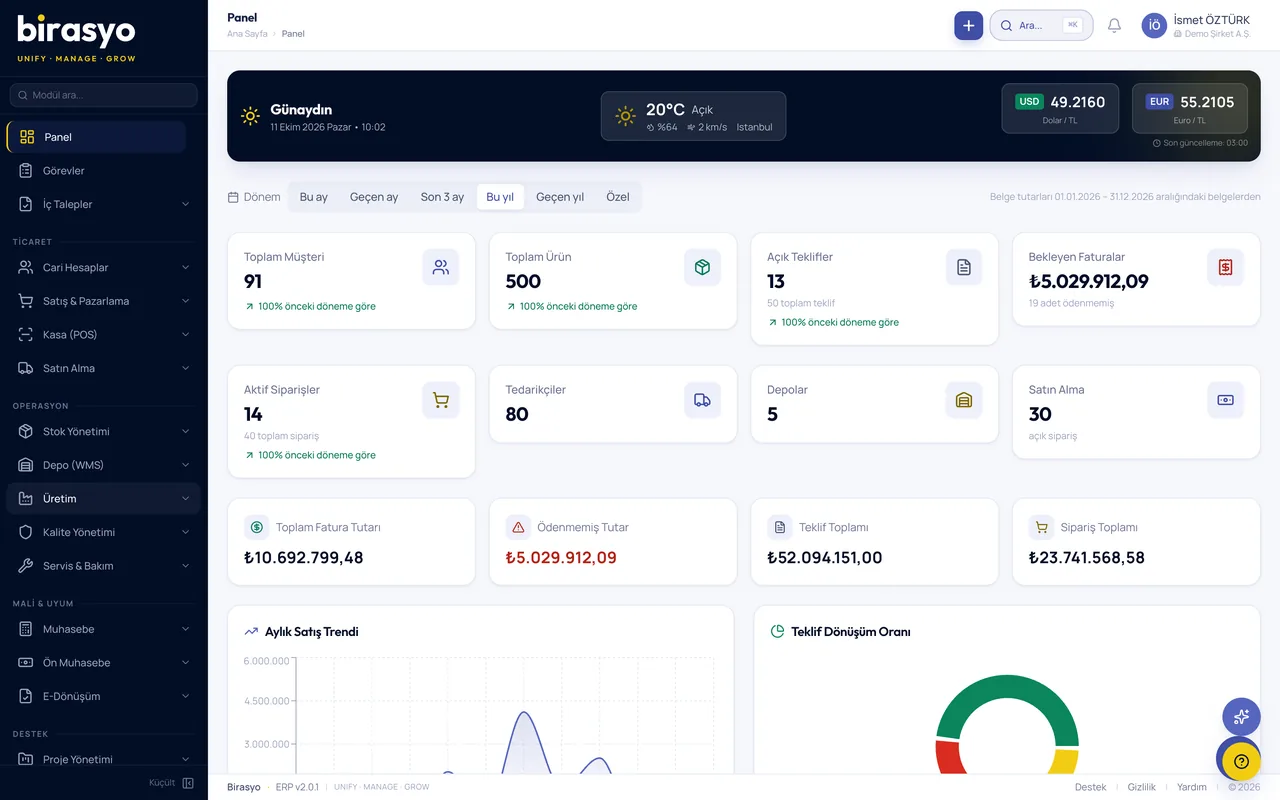
The difference between working with separate software and ERP
Most businesses start with accounting software and a few Excel files. As the business grows, the same information starts to be kept in several places, and the real burden becomes keeping those places consistent with each other. ERP removes that burden, because every piece of information is kept in one place.
With separate software
With ERP
A sales invoice is issued, stock is reduced separately, and the journal entry is made separately.
With ERPWhen an invoice is issued, the stock movement, the customer account entry and the journal entry are created together.
To find out a figure, someone is asked for a report. By the time the report arrives, the figure has changed.
With ERPYou see the figure on screen, up to date.
The count in the warehouse and the amount in accounting are compared by hand at month end.
With ERPThe warehouse and accounting both look at the same record, so it is not kept in two places.
A new branch or warehouse means a new file and a new tracking burden.
With ERPBranches and warehouses are added to the same system, and permissions are given by role.
Nobody knows who changed what, and when.
With ERPEvery transaction is recorded with the user and the time.
The path an order takes through the system
The shortest way to understand ERP is to follow a single order. All six steps below continue the same record. In none of them is information entered again.
Step 1
Quote and order
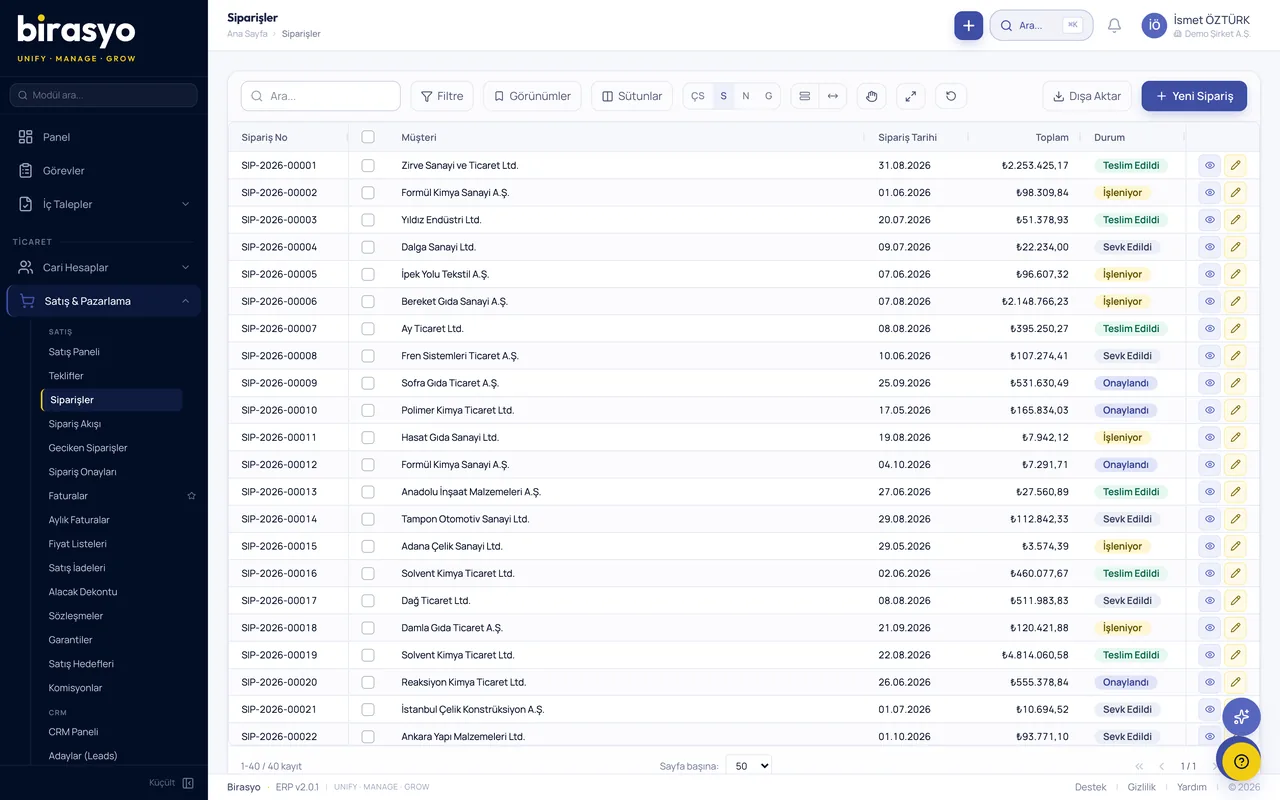
The sales team prepares the quote. An approved quote becomes an order, and the same information is not typed again.
Sales ManagementStep 2
Stock and shipping
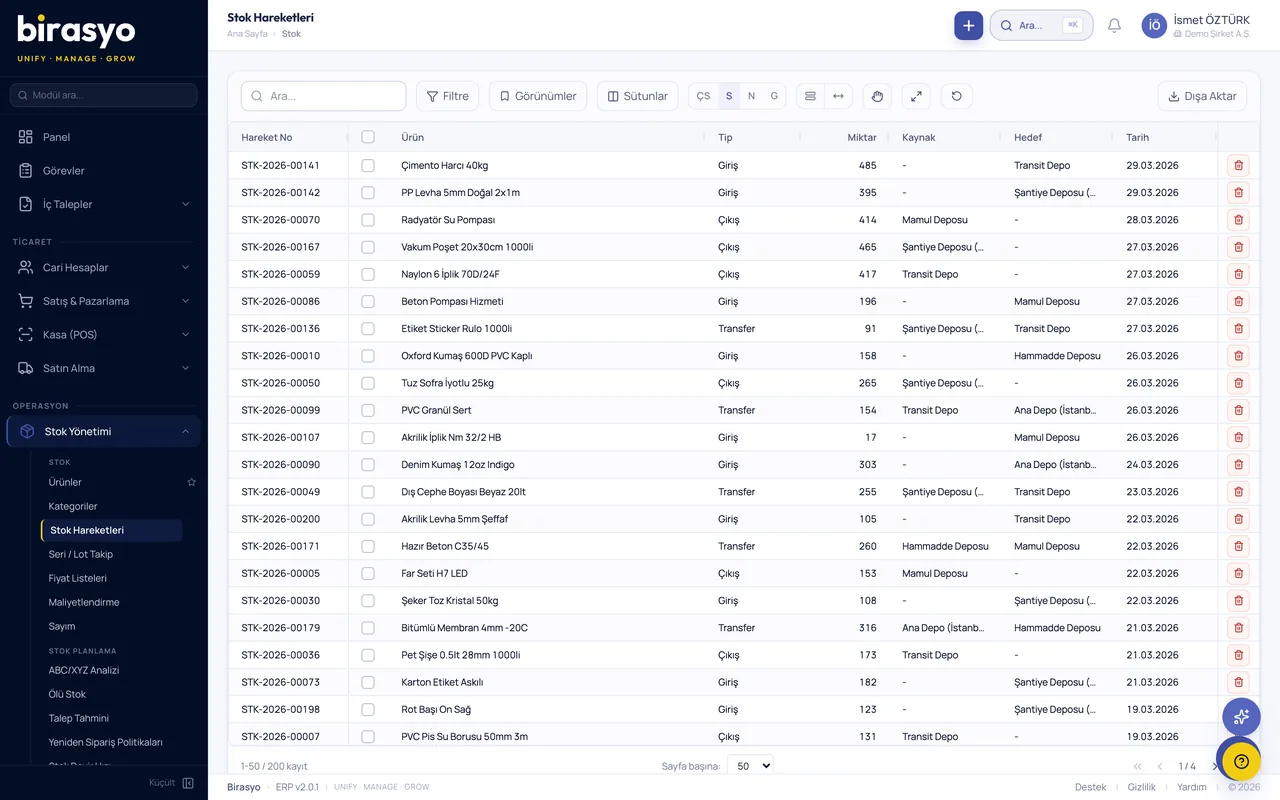
The order reserves the quantity in stock. When the product is shipped, the stock movement is recorded automatically.
Inventory ManagementStep 3
Manufacturing or purchasing
If stock is not enough, the need turns into a production order or a purchase request.
ManufacturingStep 4
Invoice
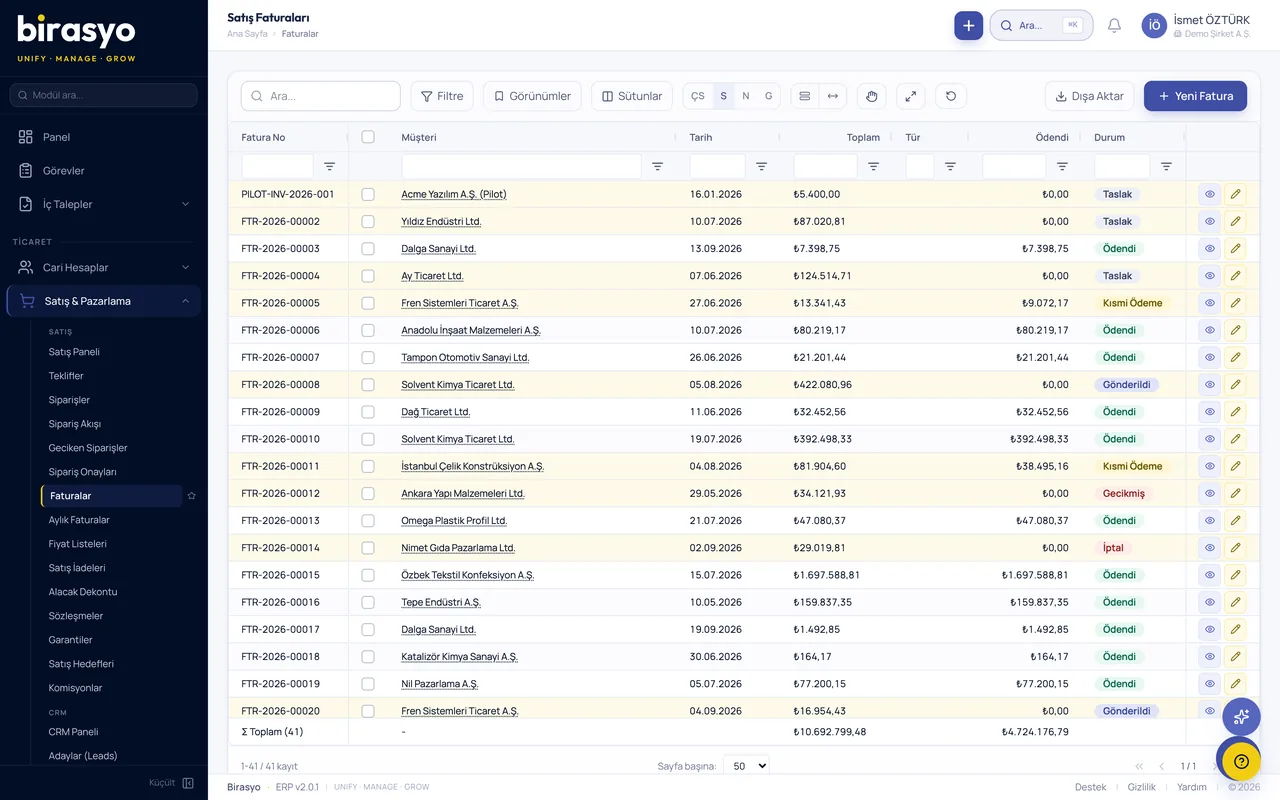
The invoice for the shipped product is issued from the dispatch note and sent from the system as an e-Fatura (e-invoice) or e-Arşiv (e-archive invoice).
e-TransformationStep 5
Collections
When the payment arrives, the customer account is settled. Overdue receivables appear in a single list.
Finance & TreasuryStep 6
Accounting
The journal entries for these steps are created automatically. At month end the same document is not entered a second time.
Accounting
When should you switch to ERP?
If you recognise several of these in your own business, it is time to change the way you work.
The same information is entered in two places
If the order is kept in one place, the invoice in another and the accounting entry in a third, errors and delays are unavoidable.
The stock count is not trusted
If the sales team finds out whether a product is available by calling the warehouse, the stock record has fallen behind the work.
Month-end closing takes days
If closing is spent collecting records and sorting out inconsistencies, what drags the work out is the scattered state of the records.
Every question is a new report request
If someone has to prepare a file for revenue, collections or profitability, you wait for a report before you can decide.
Only one person knows the job
If the price, a customer's terms or the production sequence are in one person's memory, work stops when that person goes on leave.
The business grows, the setup stays the same
When a second warehouse, a new branch or more orders arrive, a manual setup is no longer enough.
The modules of Birasyo ERP
The 29 modules are grouped under six headings. Each also works on its own. When used together, they share the same record.
Finance and accounting
Chart of accounts, journal entries, cash and customer and supplier accounts.
Manufacturing and operations
Stock, warehouse, purchasing, manufacturing, quality and maintenance.
Sales and customers
Quotes, orders, customer relationships and foreign trade.
Human resources
Personnel records, leave, payroll and employee self-service.
Reports and AI
Ready-made reports, the management dashboard and an assistant you can ask questions.
Compliance and e-transformation
e-documents, authorisation and audit records.
How does the switch work?
When switching to ERP, getting your employees used to it matters as much as installing the system. That is why there is no rush, and we move forward as your team gets used to it.
See it with your own dataStep 1
First, we listen
You tell us how you work and we decide together which module to start with. There is no need to start with all of them.
Step 2
Setup and data migration
Customer, supplier and product records, stock movements and opening balances are migrated from your current software.
Step 3
Training and parallel running
Teams learn their own screens. For a while you work side by side with the old setup and compare the records.
Step 4
Going live
Once the comparison matches, the old setup is dropped. New modules are added as needed and use the same records.
Proof of concept (PoC)
We don't show a canned demo, we show the system running on your own data
Before the meeting we take a sample of your data and load it into an environment set aside for you. In the meeting you see your own customers, products and invoices on screen and try your own process from start to finish.
We take a sample of your data
Your customer, product, stock and open-invoice lists are enough. Export them from Excel or from the software you use today.
We load it into your own environment
Your data sits in an environment that is open only to you. No other company can see it.
You try your own work on screen
Turn a quote into an order and the order into an invoice, and see stock and account balances in your own figures.
Frequently asked questions
- What is the difference between ERP and basic bookkeeping software?
- Basic bookkeeping software keeps invoices, customer and supplier accounts and cash movements. ERP adds stock, warehouse, purchasing, manufacturing, human resources and reporting to these, and makes all of them use the same record. The real difference is that the records are linked to each other.
- Do I have to take all the modules at once?
- No. You start with the module you need and add new modules as your business grows. All of them use the same records.
- Where is my data stored in a cloud ERP?
- Your data is stored encrypted in cloud data centres in Europe, and transfer is also encrypted. Everyone sees only the records they are authorised for, and the actions taken are logged. Details are on the security page.
- Will my existing data be migrated?
- Yes. Customer, supplier and product records, stock movements and opening balances are migrated during setup. During the transition you can work side by side with your old setup.
- Do I need separate software for e-Fatura and e-Defter?
- No. e-Fatura (e-invoice), e-Arşiv (e-archive invoice), e-İrsaliye (e-dispatch note) and e-Defter (e-ledger) are issued from inside the system.
Let's follow one of your orders from start to finish with your own data
We do not show a canned demo. We load a sample of your data and show the quote, shipment and invoice steps of one of your orders on screen with your own records.