CRM
Leads, opportunities, quotes and after-sales support are tracked in one CRM. Use it with Birasyo ERP, on its own, or connected to the software you already have.
What does CRM do?
In Birasyo CRM, sales, marketing and customer service teams work on the same customer record. It covers lead scoring, opportunity tracking, campaign automation, support requests and field sales team management. It can be used in three ways: (1) as a module of Birasyo ERP, (2) on its own, (3) connected to the accounting or ERP software you use through API and webhooks.
Go to core featuresCore features
Work that runs through the CRM module
Lead scoring and sales stages
Leads are scored automatically by the rules you set. Where each customer came from, why a sale was lost and the overall state of your opportunities are shown on one screen.
Opportunity and quote management
Multi-stage sales process, quote versions, approval flow and e-signed PDFs.
Customer card and contacts
The customer card keeps all meetings, emails, orders, support requests and progress claims together.
Marketing automation
Email, SMS and WhatsApp sends by customer group, timed message series and A/B testing.
Campaigns and message series
Campaigns based on the stage the customer is at, audience grouping and KVKK explicit consent tracking.
Tasks and calendar
Tasks, appointments and call plans for the team. Two-way sync with the calendar service you use.
Mobile field sales
Route plans, visit records and order entry at the customer's site for sales reps. Used from the phone.
Support requests
Multi-channel support requests, resolution time (SLA) tracking, escalation and satisfaction surveys.
Targets and commission
Sales targets per rep, automatic commission calculation and an up-to-date performance scorecard.
Contracts and renewals
Subscription and contract management, automatic renewal reminders and a churn risk score for each customer.
Price lists and discounts
Tiered pricing by customer group, purchase volume and campaign.
AI assistant
Scores leads, suggests the next step and drafts emails.
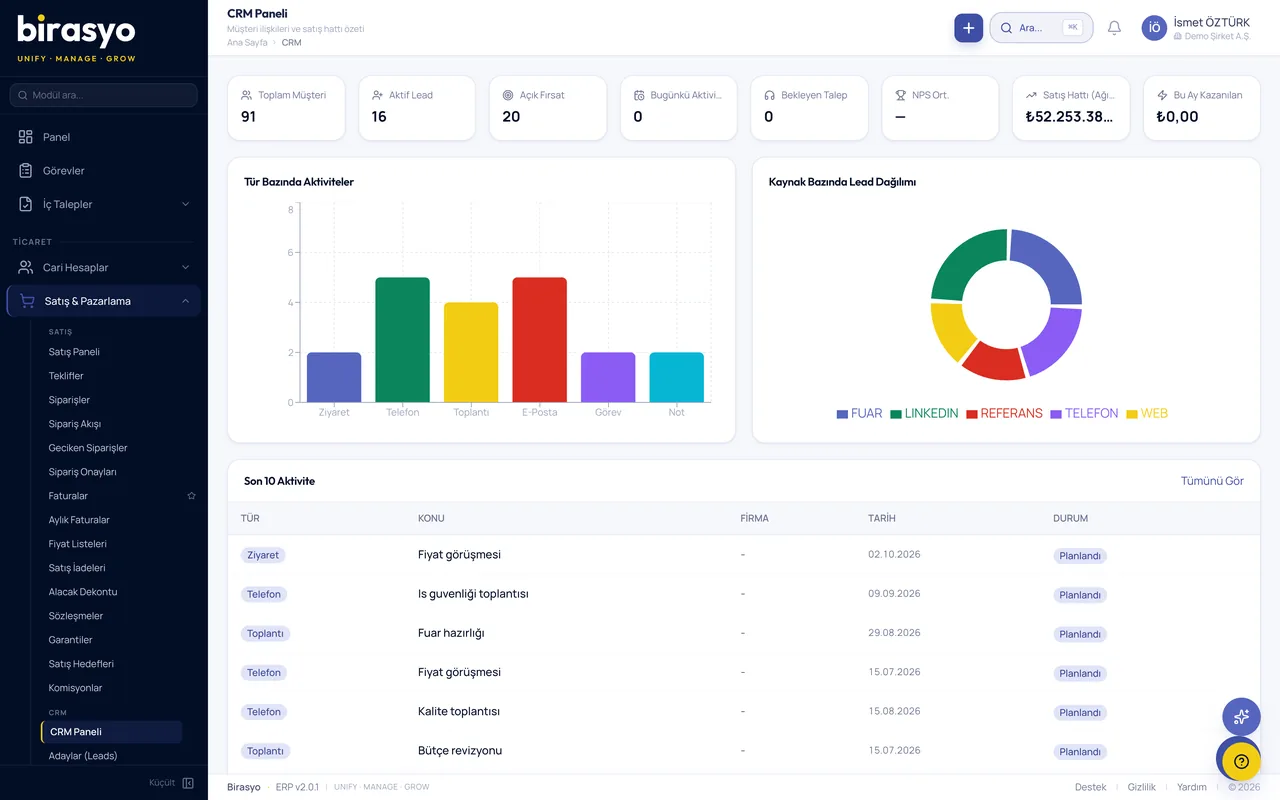
Screenshots from the module
All of them are taken from the module's own screens. The data in the images is sample data.

Proof of concept (PoC)
See the CRM module with your own data
We do not show you a canned demo. We load a sample of your data and go through your own scenarios with your own records.
Frequently asked questions
Can CRM be bought on its own?
Yes, CRM can also be used on its own. If your accounting and stock records are in other software, they sync both ways through the API.
Can I bring in my existing customer data?
You can import your data in bulk from an Excel or CSV file, or through the REST API if you prefer. Duplicate records are found and merged automatically.
Is there email and calendar integration?
Yes. Email, calendar and contacts sync both ways with the business e-mail service you use.
Is the WhatsApp Business API supported?
Yes. You can send approved template messages and exchange messages with the customer.
How is KVKK consent managed?
Consent is recorded per person, and explicit consent is taken channel by channel. Every action is logged, and the customer can withdraw consent.
Other modules in the Sales, CRM and trade group
Let's go through the CRM module together
We do not show a canned demo. We load a sample of your data and show how your work runs in this module with your own records. Fill in the form and we'll call you.