Digital and green transformation
Digital transformation for businesses
Digital transformation does not happen just by installing software. First the records are gathered in one place, then the work is linked to these records, and finally decisions are made by looking at the figures here. With Birasyo, these steps are taken in order, as your team gets used to them.
- 03Figures on screenReports and the management dashboard show up-to-date records. Birasyo AI answers your questions.
- 02Work is linked togetherA quote becomes an order, an order becomes a shipment and a shipment becomes an invoice. Approvals follow permissions.
- 01Records in one placeEvery transaction is entered once, and all departments use the same data.
What does digital transformation change in each department?
Below you can see what each department deals with today and what changes after the transition.
Department
Today
After the transformation
Finance and accounting
TodayMonth end is spent collecting records and sorting out inconsistencies.
After the transformationJournal entries are created together with the transaction, and closing becomes a matter of checking.
Sales
TodayPeople phone to ask whether the product is in stock and what the customer's balance is.
After the transformationStock and the customer's account balance are visible in the system. An approved quote becomes an order without being retyped.
Warehouse
TodayThe count result and the records are compared by hand at month end.
After the transformationEvery stock receipt and issue is recorded as a stock movement. The warehouse and accounting look at the same record.
Manufacturing and purchasing
TodayRequirements are worked out by hand, going through the orders one by one.
After the transformationWhen stock is not enough, the requirement turns into a production order or a purchase request.
Human resources
TodayPersonnel records, leave and attendance are kept in separate Excel files.
After the transformationPersonnel records, leave, attendance and payroll run from the same record. Employees handle their own requests themselves.
Management
TodayA new report is requested for every question. By the time the report arrives, the figure has changed.
After the transformationYou see the figure on screen, up to date.
The transition process
In a transition, getting employees used to the system matters as much as installing the software. At each step, it is clear from the start who does what.
See it with your own dataInitial meeting
We talk about how the work is done today and decide together which module to start with. You do not need to start with all of them.
- Your team
- You describe your processes and the tasks that take the most time.
- The Birasyo team
- We suggest the scope and the starting modules.
Setup
The system is set up according to your sector. Warehouses, users and permissions are defined.
- Your team
- You decide who sees which screen.
- The Birasyo team
- We make the definitions and set up the roles and permissions.
Data migration
Customer, supplier and product records, stock movements and opening balances are migrated from your current software.
- Your team
- You provide your existing records and approve the migrated data.
- The Birasyo team
- We migrate the data and compare it with the old records.
Training and parallel running
Teams learn their own screens. For a while you work side by side with the old setup and compare the records.
- Your team
- Your teams carry out their daily work in the new system as well.
- The Birasyo team
- We resolve the differences found in the comparison together with you.
Going live and new modules
Once the comparison matches, the old setup is dropped. New modules are added as needed and use the same records.
- Your team
- The decision to leave the old setup is yours.
- The Birasyo team
- We add the new modules to the same setup.
What is migrated from your current software?
You do not start the new system from scratch. The records below are migrated during setup and compared with the old records.
Customer and supplier records
Your customer and supplier accounts are not opened again. The existing records are migrated.
Product records
Product definitions are not entered again either. The existing records are migrated.
Stock movements
Your stock history is visible in the new system as well.
Opening balances
The new system starts with the balances on the day of the transition.
e-Transformation
No separate software is needed for e-documents
e-Documents are the mandatory part of digital transformation. In Birasyo they are prepared in the same place where the invoice is issued and the ledger is kept.
- e-Fatura · Basic and commercial scenarios, with automatic handling of response envelopes.
- e-Arşiv · Invoices for individual customers.
- e-İrsaliye · Dispatch is approved from the phone.
- e-SMM · Self-employment receipt.
- e-Defter · Journal and general ledger in XBRL-GL format.
Green transformation
Green transformation starts from the same records
Manufacturers that sell products such as iron and steel, aluminium or cement to the EU are asked for the carbon data of their products. Companies within the scope of TSRS, Türkiye's sustainability reporting standards, also prepare sustainability reports. The invoice, production and energy records that the carbon calculation relies on are already in the ERP. The Sustainability module calculates carbon emissions from those records and prepares CBAM and TSRS reports. Because it runs alongside digital transformation, the two together are also called the twin transition.
After going live
Digital transformation does not end once the records are in one place. You can also add the following.
Birasyo AI
Once the records are gathered in one place, you can put your questions to the assistant. The answer comes from your own data.
Explore Birasyo AINew modules
Modules such as quality, maintenance, projects or foreign trade are added as needed and use the same records.
Explore the productSecurity and permissions
Every transaction is recorded with the user and the time. Access is granted by role.
Security pageProof of concept (PoC)
We don't show a canned demo, we show the system running on your own data
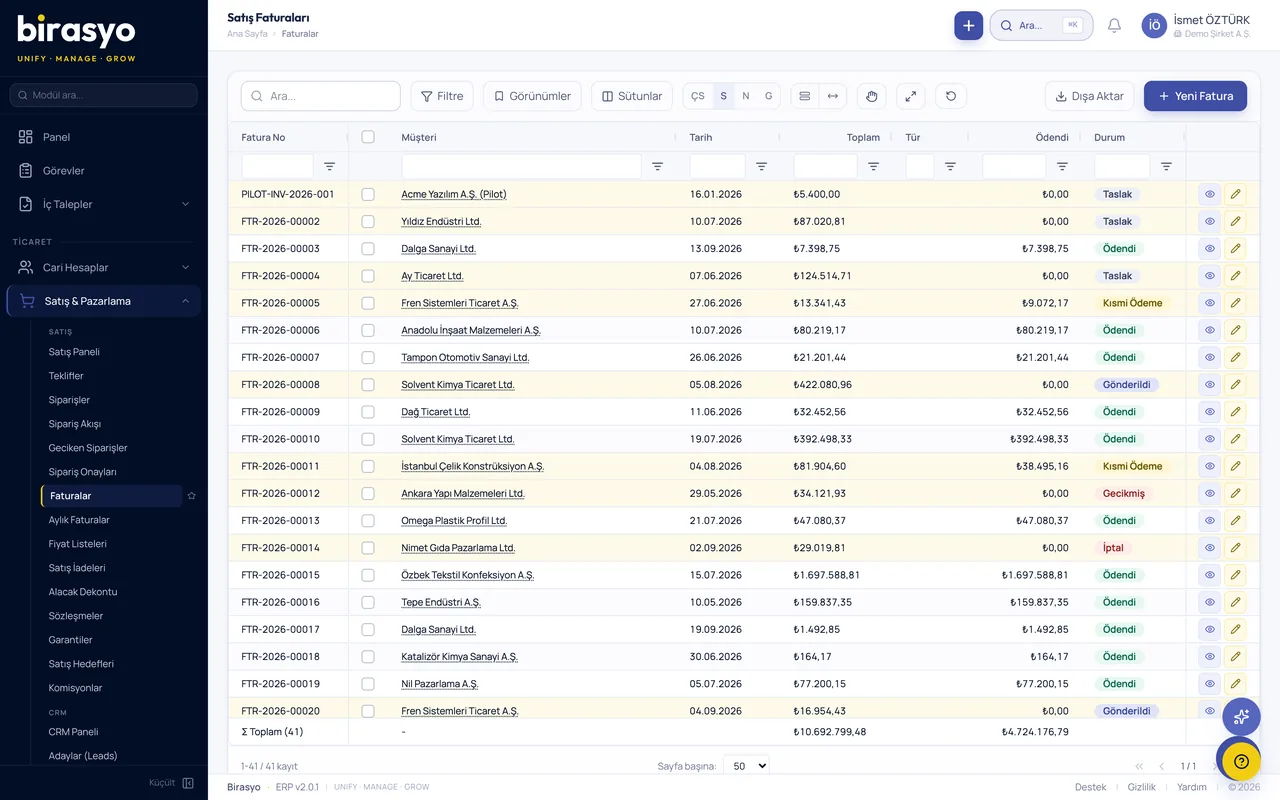
Before the meeting we take a sample of your data and load it into an environment set aside for you. In the meeting you see your own customers, products and invoices on screen and try your own process from start to finish.
We take a sample of your data
Your customer, product, stock and open-invoice lists are enough. Export them from Excel or from the software you use today.
We load it into your own environment
Your data sits in an environment that is open only to you. No other company can see it.
You try your own work on screen
Turn a quote into an order and the order into an invoice, and see stock and account balances in your own figures.
Frequently asked questions
- How long does digital transformation take?
- The duration depends on the number of modules you start with and the condition of the data to be migrated. We set the schedule together in the initial meeting, while discussing the scope.
- Do we need to start with all modules?
- No. You start with the module you need and add new modules as your business grows. All of them use the same records.
- Does work stop during the transition?
- No. During the transition you work side by side with your old setup. The records are compared, and once the comparison matches, the old setup is dropped.
- Is our existing data migrated?
- Yes. Customer, supplier and product records, stock movements and opening balances are migrated during setup.
- Do we need separate software for e-Fatura and e-Defter?
- No. e-Fatura (e-invoice), e-Arşiv (e-archive invoice), e-İrsaliye (e-dispatch note) and e-Defter (e-ledger) are issued from inside the system.
- How do our teams get used to the new system?
- Each team learns its own screens, and each step is taken when your employees are ready. The parallel running period is for getting used to the system.
Let's plan the transition together
Tell us how you work today. We load a sample of your data and work out together, looking at your own records, which module to start with and the plan for the transition.