Sales management
Every step of the sale, from quote to invoice, in the same place.
What does Sales management do?
Price lists, discount rules and a multi-channel sales process.
Go to core featuresCore features
Work that runs through the Sales management module
Quotes and orders
Version tracking, approval flow and e-signed PDFs.
Price lists
Pricing by customer, category and period.
Discounts and campaigns
Tiered discounts and free-product rules for campaigns.
Field sales
Sales rep orders from the phone and route planning.
e-Fatura (e-invoice) and e-Arşiv (e-archive invoice)
Invoices are sent to GİB from the system, and reconciliation is done here too.
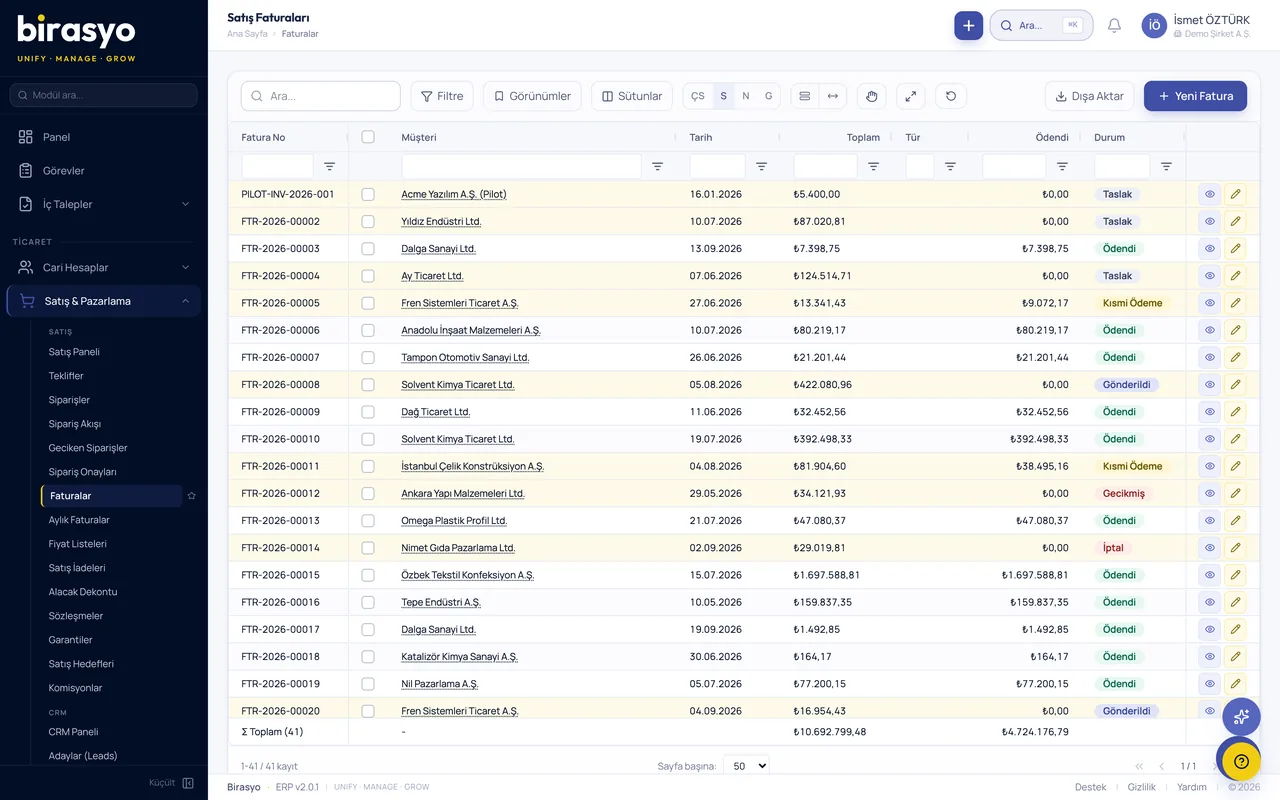
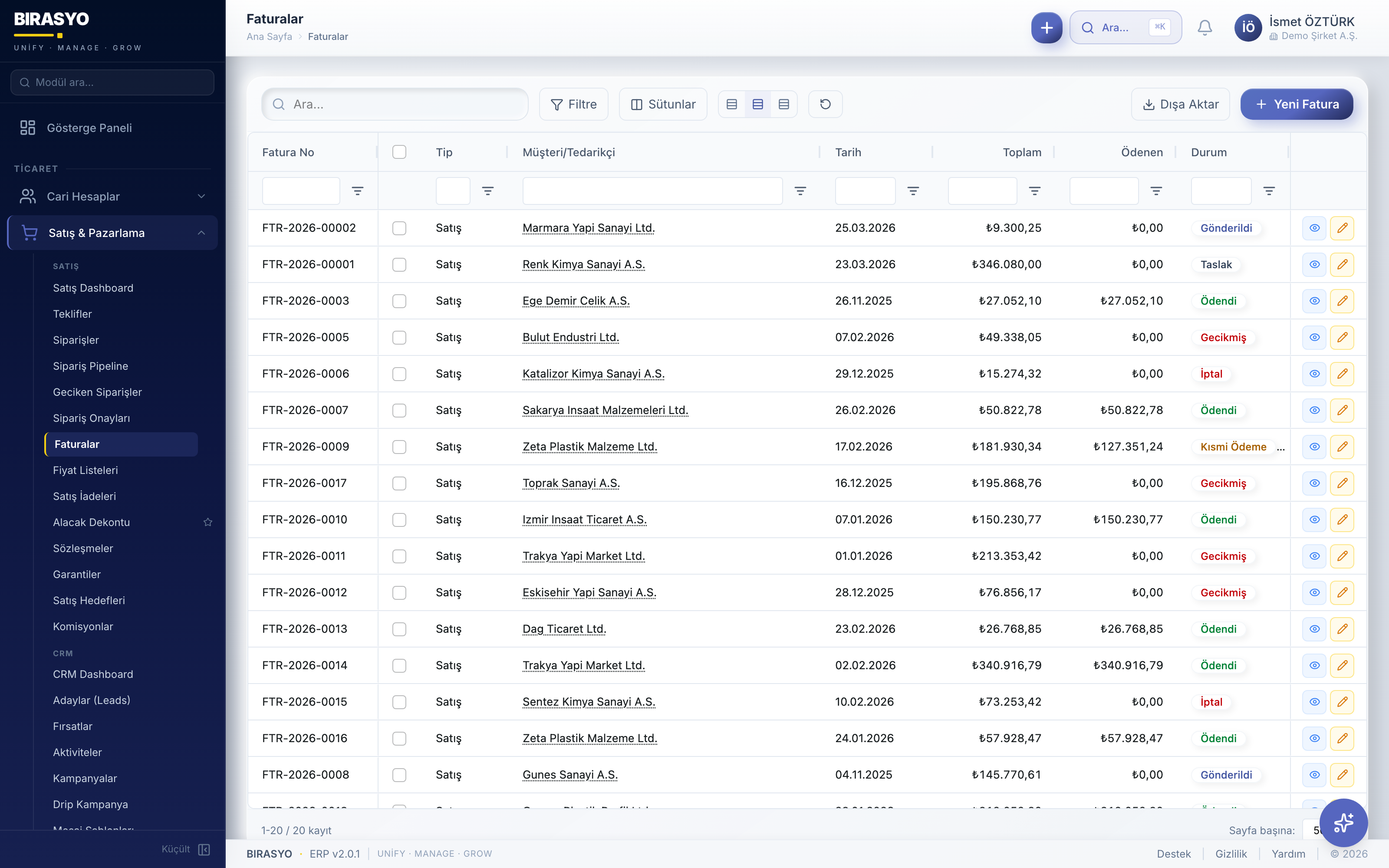
Screenshots from the module
All of them are taken from the module's own screens. The data in the images is sample data.
Proof of concept (PoC)
See the Sales management module with your own data
We do not show you a canned demo. We load a sample of your data and go through your own scenarios with your own records.
Frequently asked questions
Can sales reps enter orders from the phone?
Yes. The route, visit and order screens open in the phone browser. The rep enters the order while with the customer. These screens need an internet connection.
Other modules in the Sales, CRM and trade group
Let's go through the Sales management module together
We do not show a canned demo. We load a sample of your data and show how your work runs in this module with your own records. Fill in the form and we'll call you.