Purchasing
Requests, quote collection, orders, goods receipt and invoice matching in one place. Use it with the ERP, on its own, or connected to your current accounting software.
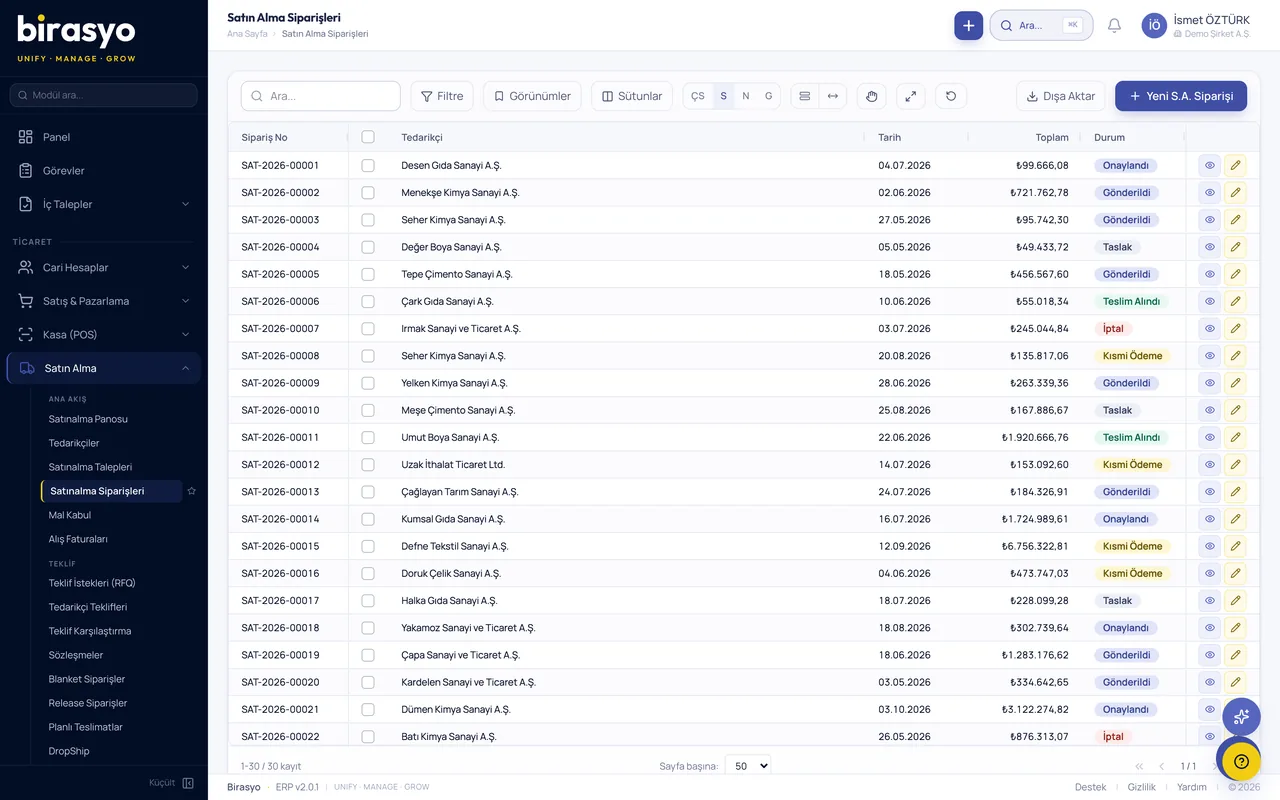
What does Purchasing do?
In Birasyo Purchasing, requests, quote collection, supplier comparison, orders, goods receipt, invoice matching and supplier evaluation run as one process. Budget control, matching of order, dispatch note and invoice, and the supplier portal are included. Use it with the ERP, on its own, or connected to your existing software.
Go to core featuresCore features
Work that runs through the Purchasing module
Purchase requests
Department requests, multi-step approval flow, and budget and chart of accounts checks.
Budget management
Annual or periodic budgets, cost centres and budget overrun alerts by project.
Quote collection and comparison
Quotes are requested from several suppliers. Price, delivery time and quality are compared in one table, and the reason for the choice is recorded.
Purchase orders
Automatic or manual orders, blanket orders and delivery call-offs, approval flow and an e-signed order form (PDF).
Goods receipt
Partial or full goods receipt, link to quality control, dispatch note upload and stock movement.
Order, dispatch note and invoice matching
The order, dispatch note and invoice are compared automatically. If they do not match, the system warns you and the dispute process starts.
Supplier scorecard
Scores are kept for on-time delivery, quality, price and communication. Suppliers are ranked by performance.
Contract management
Long-term agreements, price fixing and an automatic renewal calendar.
Supplier portal
Suppliers submit quotes, see orders, upload dispatch notes and send invoices from their own screen.
E-tenders and reverse auctions
Electronic tenders, reverse auctions and automatic selection of the lowest bid.
Product catalogue and price list
Catalogue by supplier, contract prices and volume discount rules.
AI assistant
The AI suggests suppliers, catches unusual prices and summarises the quote comparison.
Proof of concept (PoC)
See the Purchasing module with your own data
We do not show you a canned demo. We load a sample of your data and go through your own scenarios with your own records.
Frequently asked questions
Can it be bought on its own?
Yes, Purchasing can also be bought on its own. Invoices are transferred to your accounting software through the API.
Do suppliers pay to use the supplier portal?
No, suppliers use the portal free of charge. The fee is charged only for your own licence.
How does budget control work?
Budgets are defined by account, cost centre and project. The system warns you as an overrun approaches, and a request that exceeds the budget goes to approval.
Does it work with e-Fatura?
Incoming e-Fatura (e-invoice) documents are received automatically and matched to the order. An invoice that does not match is put on hold.
Other modules in the Manufacturing and operations group
Inventory management
Track every stock movement and spot wastage and shortages in time.
Production management
Manage bills of materials, work orders, material planning and the shop floor in one system.
Supply chain
Demand forecasting, supplier network and strategic stock planning.
Warehouse management (WMS)
Every movement in the warehouse is on record.
Let's go through the Purchasing module together
We do not show a canned demo. We load a sample of your data and show how your work runs in this module with your own records. Fill in the form and we'll call you.