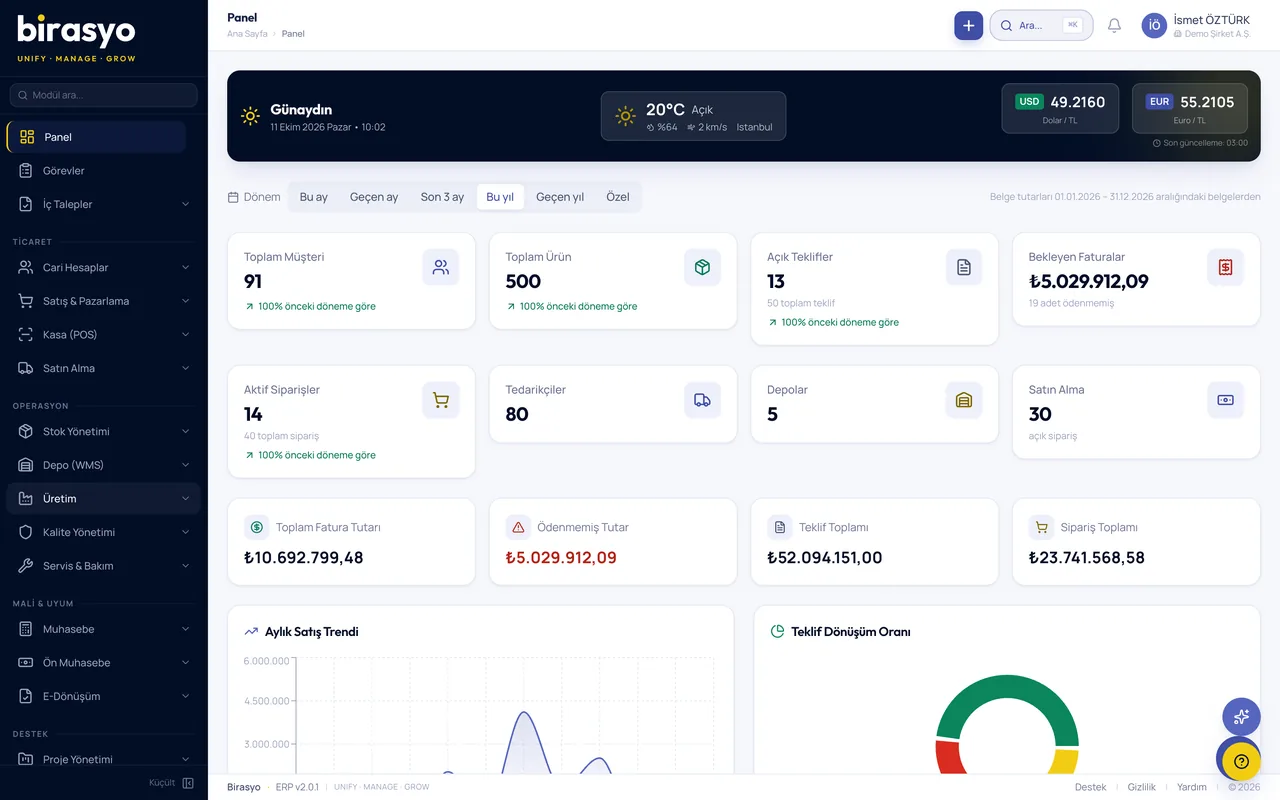
Patron Ekranı
Built so that the owner can see the state of the business in 30 seconds. In place of the screens of the desktop ERP, it has only the summary a manager needs to look at.

What does Patron Ekranı do?
Patron Ekranı is a management panel where owners, general managers, finance directors and other managers can check the state of the company in 30 seconds during the day. It is used from the phone and is for viewing only. You do not carry out transactions. You see the situation and route the matter to the right person. It works together with Birasyo ERP. For those who use other accounting software, the connection options are clarified in the meeting.
Go to core featuresCore features
Work that runs through the Patron Ekranı module
Cash position card
Bank and cash total, a 7-day projected flow and a 30-day forecast. The status is shown in green, amber or red.
Daily sales status
Today's turnover against the daily target, a small chart of how the month is going, and the difference from the same day last year.
Collections and payables summary
The 5 largest overdue customer receivables and the 5 largest supplier debts due this week. Tap to open the details.
Stock status
The number of products below the critical level, the estimated value of sales lost because of stockouts, and the value of idle stock.
Team and pending approvals
Requests waiting for your approval, today's absences and staff shortages due to leave are gathered in a single notification count.
Critical alerts
VAT, SGK and withholding tax payment deadlines, contract end dates and unusual activity are listed in date order.
AI explanation (press and hold)
Press and hold a card that shows red, and the AI explains the reason in 2-3 sentences.
View only
There are no edit or approve buttons. There are only the 'Route to team' and 'Alert me' options.
Instant notifications and alerts
An AI-supported notification arrives when sales fall by 30%, when collections stop or when stock drops to the critical level.
Multi-company consolidation
Follow more than one company on one screen, either combined or company by company (optional).
Proof of concept (PoC)
See the Patron Ekranı module with your own data
We do not show you a canned demo. We load a sample of your data and go through your own scenarios with your own records.
Frequently asked questions
I do not use Birasyo. Can I try it?
Patron Ekranı works together with Birasyo ERP. If you use other accounting software, we clarify the connection options in the meeting.
Can I carry out transactions or give approvals?
No, Patron Ekranı was deliberately made for viewing only. Actions such as approval, correction and changing records are done from the main ERP panel. Patron Ekranı only answers the question 'what is going on'.
Which devices does it work on?
On phones with iOS 15 or later and Android 10 or later, it opens in the browser and is added to the home screen. On a computer it also opens in the web browser.
I have more than one company. Can I see them on one screen?
Yes. In 'Consolidation' mode you can see several companies as a total or one by one. This feature was prepared for holding structures.
Is my data safe?
The owner user is given view-only permission and cannot change records. Data is encrypted with AES-256 and complies with KVKK.
Other modules in the Reporting and business intelligence group
Let's go through the Patron Ekranı module together
We do not show a canned demo. We load a sample of your data and show how your work runs in this module with your own records. Fill in the form and we'll call you.