What does System administration do?
Multi-company and multi-branch structure, role-based permissions and activity logs.
Go to core featuresCore features
Work that runs through the System administration module
Multi-company structure
All your companies on one screen.
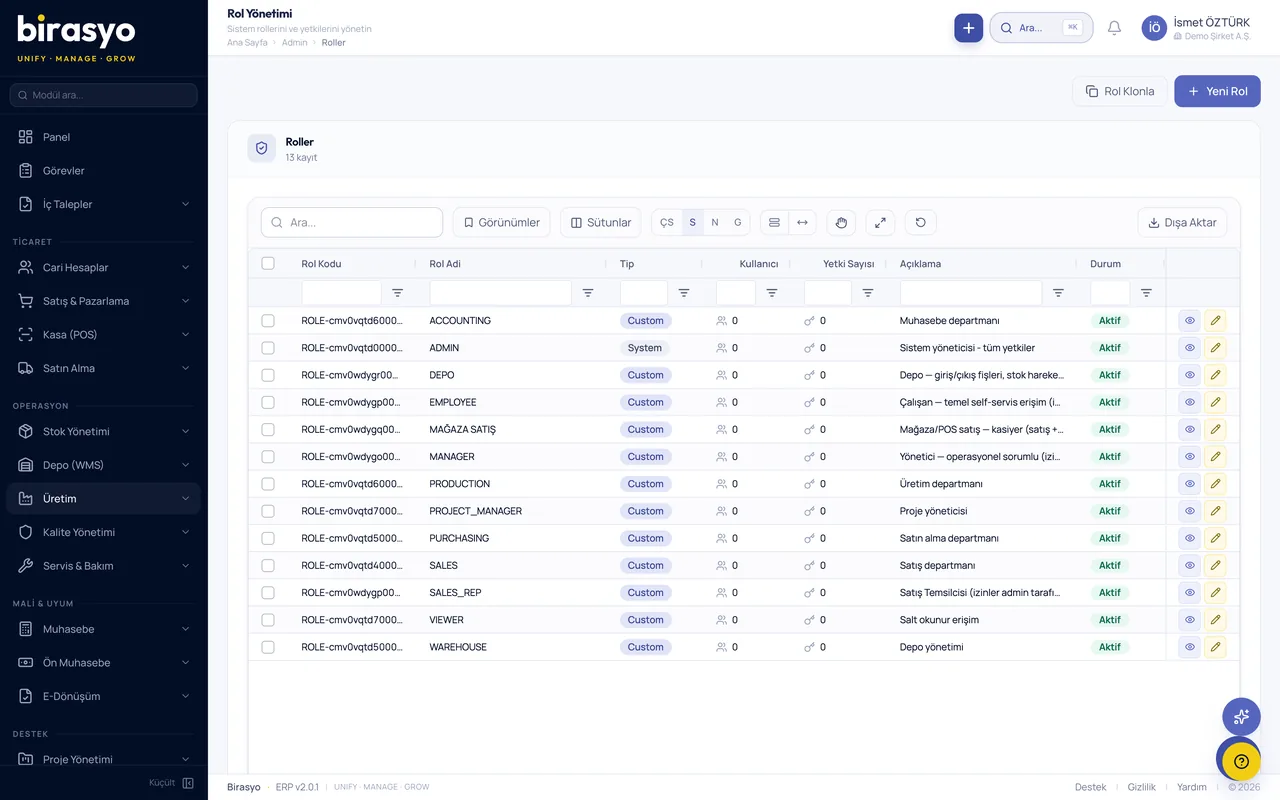
Roles and permissions
Detailed permission settings by screen and by action.
Activity logs
Every action is on record.
Proof of concept (PoC)
See the System administration module with your own data
We do not show you a canned demo. We load a sample of your data and go through your own scenarios with your own records.
Frequently asked questions
Is my data safe, and where is it hosted?
Birasyo is hosted in Microsoft Azure's data centre in the Netherlands (West Europe). For customers whose data must stay in Türkiye, a private installation in Türkiye is available. Data is transmitted over TLS 1.3 and encrypted at rest with AES-256. Sensitive fields such as national ID number and IBAN are also encrypted at column level. Details are on the Security page.
How do I move my data from my current software?
Data migration is part of standard setup. Customers, suppliers, products, stock movements and opening balances are migrated automatically. During the transition you can use Birasyo alongside your old software. The full switch is made at month end or period end.
How is user training delivered?
Each module has training videos in Turkish. Live online training is given before a module goes live, and a dedicated setup consultant is assigned to you for the first 30 days. Your accountant receives separate training.
Other modules in the Compliance and e-Transformation group
e-Transformation
e-Fatura (e-invoice), e-Arşiv (e-archive invoice), e-İrsaliye (e-dispatch note), e-SMM (e-receipt for self-employed services), e-Defter (e-ledger).
Retail chain integration (EDI)
Receive retail chain orders electronically and send your dispatch notes and invoices electronically.
Sustainability and carbon management
Measure and report your carbon footprint for EU CBAM, TSRS and ESG reporting, and track your reduction targets.
Compliance management
KVKK, ISO and BDDK compliance tracking.
Let's go through the System administration module together
We do not show a canned demo. We load a sample of your data and show how your work runs in this module with your own records. Fill in the form and we'll call you.